Doomsday Clock
Turn your 30-day (or however long your wipe cycle is) server wipe into a cinematic apocalyptic event that players will talk about for seasons to come.
This mod transforms the final days of your wipe cycle into an intense, immersive doomsday experience. The sky slowly turns blood red, tension builds, and then all hell breaks loose as meteors begin raining down on the map.
Features
Dynamic Blood Red Sky — Gradually shifts the sky to a deep blood-red hue as the wipe approaches.
Escalating Meteor Storm — Real destructive meteors start falling from the sky in the final hours. Meteor frequency and size increase dramatically the closer you get to wipe.
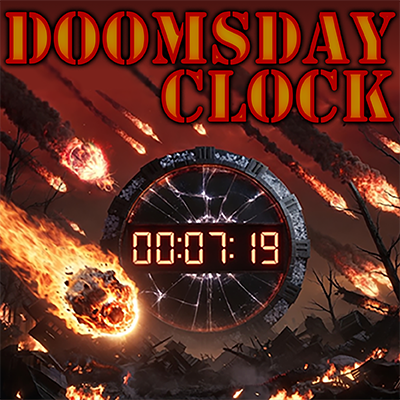
On Screen Doomsday Clock — Each time a player spawns, the Doomsday Clock appears in the top left of their screen. After about 20 seconds, it fades away. The Doomsday Clock can easily be recalled at any time by holding the reload button, and selecting the Doomsday Clock option.
Easy Initial Setup — In-game UI allows admins to configure the time of the Doomsday Clock when they are setting up their server. When you are ready, usually after all other server setup is complete, open the Admin Setup Menu and enter the number of days you want your server to run until Doomsday (this is the total time of the server), the hours before the end that you want the sky transition to start, and the number of hours before the end that you want the meteors to begin falling. Usually you would want the meteors to start after the sky turns red, but it does allow for the meteors to happen first.
IMPORTANT!
The UI is set up to only lock in the times and start the clock when you are ready to do so. Once you click the START button on the UI, the Doomsday Clock will be active on the next server restart, and the admin setup menu will be disabled. This is so that there are no accidental time changes, and helps to avoid any craziness that can occur if the doomsday clock is changed without warning. There is a fail-safe ini config that will allow the admin menu to be enabled, but it also stops the clock. So be very careful using it!! Should you need to change the time on the Doomsday Clock after it has already started, you can use the following command in your GameUserSettings.ini
[DoomsdayClock]
ResetAdminSetupMenu=True
You will need to stop the server, add the config, then start the server. Once started, make the changes in the admin menu the same way you did before. This time, after you click the START button, and you shut down the server, be sure to remove the ini config to reset the admin menu or your clock will not start. Once it is removed, you are safe to start your server, and the clock will be counting down from the newly set time.
To report any bugs, or ask questions, or if you just wanna come hang out!
Join my discord by clicking the button below.