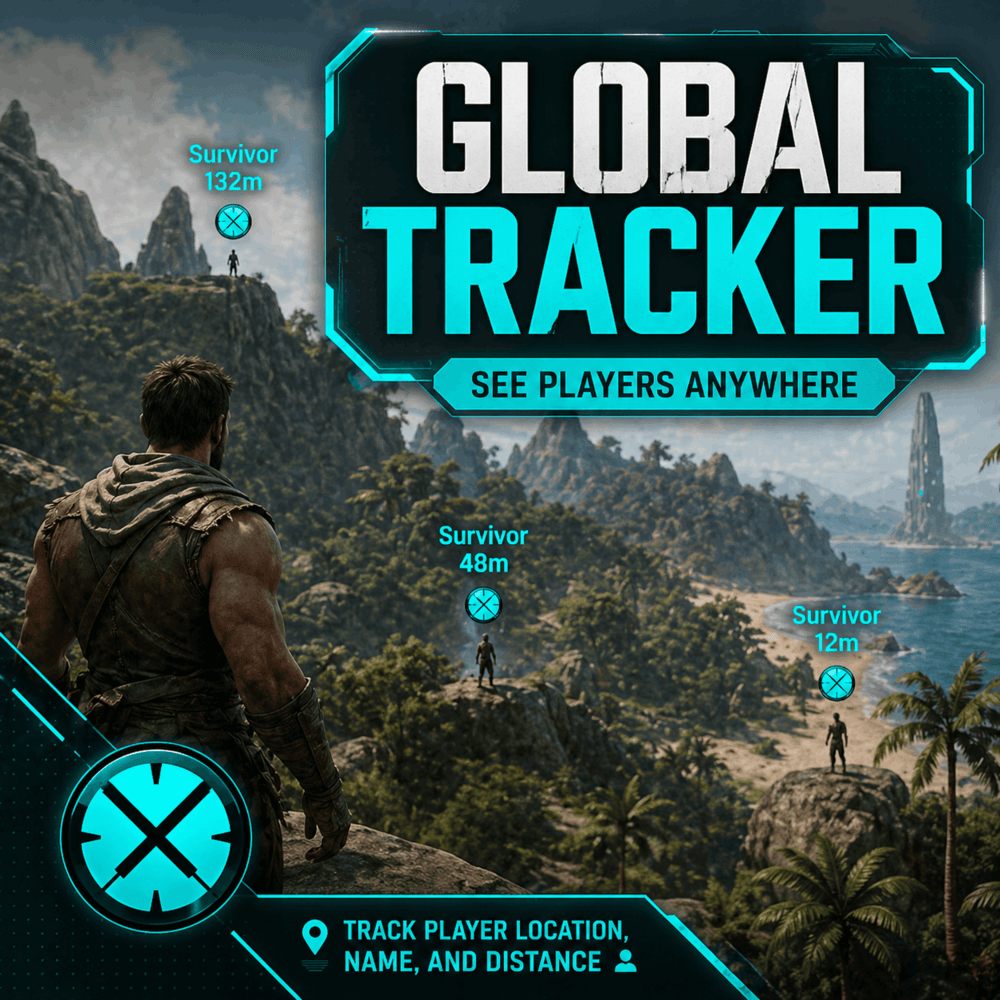
Global Tracker
Global Tracker is a lightweight player-tracking HUD mod for ARK: Survival Ascended, designed for private servers, family servers, PvE groups, and admin-friendly gameplay where finding other players should be simple instead of annoying.
Nearby or distant survivors are shown directly on your HUD with a clean cyan marker, player name, and distance readout. The goal is simple: make it easier to find each other across the map without constant coordinates, tribe calls, Discord yelling, or “where the hell are you?” every five minutes.
Features
Displays tracked survivors directly on the HUD
Shows player name and distance
Uses a clean cyan tracker marker for quick visibility
Tracking markers are clamped to the HUD so they stay visible instead of drifting off-screen
Players behind you are shown with the marker clamped toward the bottom of the screen
Works as an always-on tracking system
Does not require players to craft, equip, or activate a tracking item
Built for private servers, family servers, PvE groups, admins, events, and small communities
Dedicated server tracking has been refactored for better reliability
Supports server-built tracking data for player name, tribe name, location, and player ID
Supports configurable HUD tracker text scaling through server config
Recent Update / HUD Text Scaling
This update adds configurable tracker text scaling.
Server owners can now adjust the size of the player name and distance text shown on the HUD. This is useful for different screen sizes, resolutions, couch/TV play, or players who simply want the tracker text easier to read.
Added and improved:
Added new config option: TrackerTextScale
Tracker text scale can now be adjusted through GameUserSettings.ini
Tracker text scale is clamped between 1.5 and 3.0
Default tracker text scale is 1.5
Text positioning now adjusts based on the configured text scale
Marker icon size remains unchanged at 48x48 for consistent HUD positioning and visibility
Config example:
[GlobalTracker]
TrackerTextScale=1.5
Recommended values:
1.5 = default / smaller HUD text
2.0 = larger HUD text
3.0 = maximum size / best for couch or TV play
Recent Update / CrossPlay Tracking Refactor
This update brought the dedicated server tracking refactor to the CrossPlay build.
The tracker now uses server-authored tracking data instead of relying only on client-side player actor references. This improves reliability when players are far away, outside normal render range, mounted, dead, respawning, or otherwise not reliably available to the local client.
Fixed and improved:
Reworked tracking to use server-built structured player data
Improved dedicated server tracking reliability
Improved CrossPlay server support
Fixed tracking data failing to display correctly on some dedicated server builds
Fixed player names disappearing when tracked players moved outside render/relevancy range
Fixed distance readouts becoming stale outside render range
Fixed tracker markers using old/stale player locations
Fixed mounted players/riders losing tracker visibility
Improved mounted-player tracking by using the controlled pawn location when needed
Improved self-filtering by using player IDs instead of actor comparison
Fixed dead/stale player pawns being tracked after respawn
Improved marker behavior after player death and respawn
Improved HUD marker clamping near screen edges
Improved behind-player marker behavior
Updated tracker and buff icon visuals to share the same clean cyan style
Removed older actor-reference tracking paths in favor of the new server-authored tracking system
There may be a short delay after a player respawns before their marker returns. This is intentional and helps ensure the tracker only displays valid active survivor data.
Current State
Global Tracker is focused on the core tracking experience:
HUD marker drawing is functional
Distance display is functional
Name display is functional
HUD tracker text scaling is configurable
Dedicated server tracking has been refactored and improved
Mounted-player tracking behavior has been improved
CrossPlay support is being actively tested
Tracker icon and visual style are implemented
The mod is still early and may receive additional polish, configuration options, smoothing, and UI improvements over time.
Please leave a comment if you discover any bugs or issues, especially on dedicated servers or CrossPlay servers.
Known Issues
Tracker marker movement may update in small steps depending on server update timing and replication rate
Additional HUD smoothing/interpolation may be added in a future update
CrossPlay behavior is being actively tested and improved
There may be a short delay before a player marker returns after death/respawn
Why This Mod Exists
This project was inspired by the existing Player Tracker mod by Shinygati, which provides a player-tracking item and helped prove that this type of quality-of-life feature is useful in ASA. Credit where it is due: that mod gave me the idea to build my own version for my server.
Global Tracker is not intended as a direct replacement or copy. It is my own take on the concept, built around the specific behavior I wanted: a more streamlined, always-available HUD tracker experience without requiring players to manage a crafted item or manually activate tracking.
Intended Use
This mod is best suited for:
Private servers
Family servers
PvE groups
Admin-run events
Small communities
Players who want easier coordination without constant map pinging or coordinate sharing
It is not intended for competitive PvP unless your server specifically wants global player visibility.
Notes
This mod is being developed and tested for my own server first. Functionality, visuals, and configuration options may change as I continue improving it.
Planned Features / Not Yet Implemented
Future updates are planned to add more configuration and UI polish, including:
Configurable tracking mode
Option to use full global player tracking
Option to limit tracking to tribe-only players
UI cleanup and polish
Smoother marker movement/interpolation
Improved text alignment
Better centering of player name and distance over the marker/player
Optional tribe name display
General visual cleanup for the HUD tracker display