Description
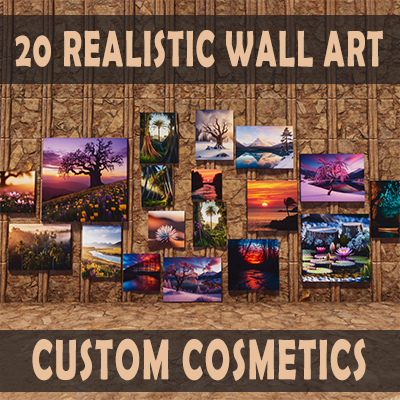
Decorate your ARK Survival Ascended base with 20 unique Wall Art custom cosmetic skins. These realistic canvas-style paintings include 10 square, 4 horizontal, and 6 vertical pieces, each designed to look like authentic art on canvas. Every wall art skin can also be scaled in size, allowing you to adjust the artwork to fit your space perfectly.
Structure Info
All Wall Art skins are located in the Wall Art Custom Cosmetics folder. Each item clearly shows that it can be applied to a Painting Canvas and also indicates its art size (square, vertical, or horizontal), making it simple to choose the right painting for your build.
How to Use
Choose the painting skin you want, drag it into your hotbar, and place it on a Painting Canvas. Once applied, hold the interaction button on the canvas. In the pop-up wheel, select the gears icon ("Skin Settings"), then choose the Scale option. From there, you can adjust the size in increments until the artwork fits your wall just the way you like.