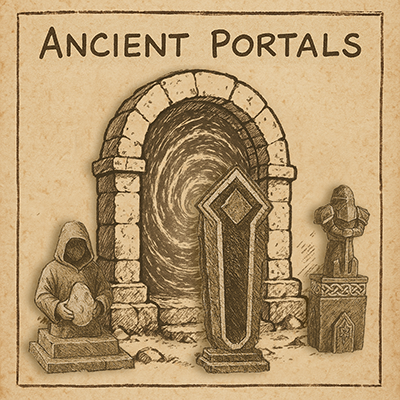
Ancient Portals
Scattered across the ARKs lie Ancient Portals — stone archways left behind by a long-forgotten survivors. For years they stood dormant and inert, their purpose unknown… until the discovery of the Ancient Markers changed everything.
These mystical statues began producing Ancient Crystals, shimmering with raw energy. When carried through a Portal, a Crystal would instantly return its bearer to the Marker it came from — but only once. The crystal would vanish, and the Marker would take time to create another.
Now, survivors have pushed the boundaries of science and magic by constructing Magictek Control Panels — advanced devices that bind Ancient Crystals to an Ancient Portal, allowing repeated use and instant travel. Once a crystal's energy signature is digitized through the control panel, the Portal can be used as a stable gateway... but beware: if the Portal is destroyed, all linked Crystals are lost forever.
The Ancient Portals mod currently has one structure that players can craft and place, it is the Ancient Portal.
This Ancient Portal can:
- only be placed within proximity to other structures owned by the tribe.
- Each tribe can only place 3 per map.
- When placed, the portal is linked to each of the obelisks, and can activate the portal to allow one-way travel from the portal to the obelisk.
Once the players collect the Ancient Crystals from the Ancient Markers around the map, and align them with an Ancient Portal, then that crystal now is added to the list of locations for that Ancient Portal.
The Ancient Portal can:
- activate a crystal to allow one-way travel to the marker location where the crystal came from.
- If the Ancient Portal is ever destroyed, all crystals aligned to it are lost, and must be re-aligned in order to facilitate travel from a new Ancient Portal.
When first installed onto a server a small amount of set-up is recommended, although not required.
The mod is set up to automatically spawn Ancient Markers at random locations around the map.
(This is just an attempt at randomness, and may not work on some maps. Custom marker placement is recommended in these instances.)
(When using Ancient Portals on Aberration or Extinction maps, or any other map that is found to not populate the normal obelisks in the Portal when it is first placed down, please follow the instructions below for setting up Custom Obelisk Markers)
These locations are programmed to not be in water, not be near a player base, not be near a player, and only above ground. However, there is no way to tell the mod to not spawn them facing a rock face, not spawn them on top of destructible stones, and not spawn them at the edge of a cliff. This is where the Admin Panel comes into play.
The Admin Panel can be accessed by holding the RELOAD button for the system you are playing on, and it allows server admins to change the name of a marker, change the icon (180 to choose from), teleport to the marker location, or to even delete the marker if the location is not in a good sport for you server.
There are also options to delete all markers, this includes custom placed markers as well, and to respawn new random markers around the map. If a respawn is chosen, the markers will all be in new locations, with new names and new icons from the previous ones.
Any crystals in player's storage boxes or other inventories will remain in the world until the player attempts to align it to a Portal. Just be aware of this before deciding to delete all and respawn new ones.
It is highly recommended to use the admin panel to teleport to each randomly spawned marker to assess its location. If it is in a location that you do not like, simply delete it.
Then once you have determined that all the random marker locations are to your liking, you can use the following code to spawn in a placeable Ancient Marker, and place it anywhere you like on the map. This new marker will react just like the random ones.
cheat giveitem "/AncientPortals/AncientMarker/PrimalItemStructure_AncientMarker.PrimalItemStructure_AncientMarker" 1 0 0 false
Configuration Options:
(All values shown are default)
[AncientPortals]
NumPortalsPerTribe=3
MaxRandomMarkers=10
PortalActiveTimeInSec=180
CrystalProductionTimeInSec=600
UseCustomObeliskMarkers=False
Custom Obelisk Marker Setup:
I received reports of markers not saving the name change properly when set to custom obelisk marker. I also discovered during my testing of this bug, that if the admin attempted to change the name of the Custom Obelisk Marker, then a new entry appeared in the Admin panel, and if one was deleted, the other stayed forever. To fix this completely would have been complicated and drawn out, so I devised a plan to simplify the Custom Obelisk Markers.
Now when placing a Marker that you wish to be used as a Custom Obelisk Marker, you must first ensure that the ini command "UseCustomObeliskMarkers" is set to TRUE. This will force the mod to not display the normal obelisks in the Portals, so be sure this is how you want it set up. Then when you place the Marker that will become the Custom Obelisk Marker, it is recommended that you place it just outside the area for the teleport bubble of a boss fight if you are placing it near the actual Obelisk. This way, unsuspecting players won't accidentally be thrown into a boss fight when they attempt to teleport to the obelisk. (rare, but it could happen)
Once a custom marker is placed, you must hold down the interact button to access the option to convert it to a Custom Obelisk Marker, and you will need to choose which color obelisk you want it to represent. Currently only Red, Blue, or Green. Once converted, it will not produce a crystal. Any Portals place AFTER the conversion will show this Custom Obelisk Marker by default as soon as it is placed. (Any Portals that were placed prior to the conversion will need to be replaced to show the new Custom Obelisk Markers properly.)
To report any bugs, or ask questions, or if you just wanna come hang out!
Join my discord by clicking the button below.