
 MODID:932770
- Cheat GiveItem "/Script/Engine.Blueprint'/ASATeleporter/PrimalAssist_DinoTracker.PrimalAssist_DinoTracker'" 1 0 0
- Cheat GiveItem "/Script/Engine.Blueprint'/ASATeleporter/PrimalAssist_Remote.PrimalAssist_Remote'" 1 0 0
- Cheat GiveItem "/Script/Engine.Blueprint'/ASATeleporter/PrimalAssist_Teleporter.PrimalAssist_Teleporter'" 1 0 0
- Cheat GiveItem "/Script/Engine.Blueprint'/ASATeleporter/PrimalAssist_RemoteP.PrimalAssist_RemoteP'" 1 0 0
- EngramEntry_DinoTracker_ASA_C
- EngramEntry_Remote_ASA_C
- EngramEntry_Teleporter_ASA_C
★ Teleporter · Remote Controller
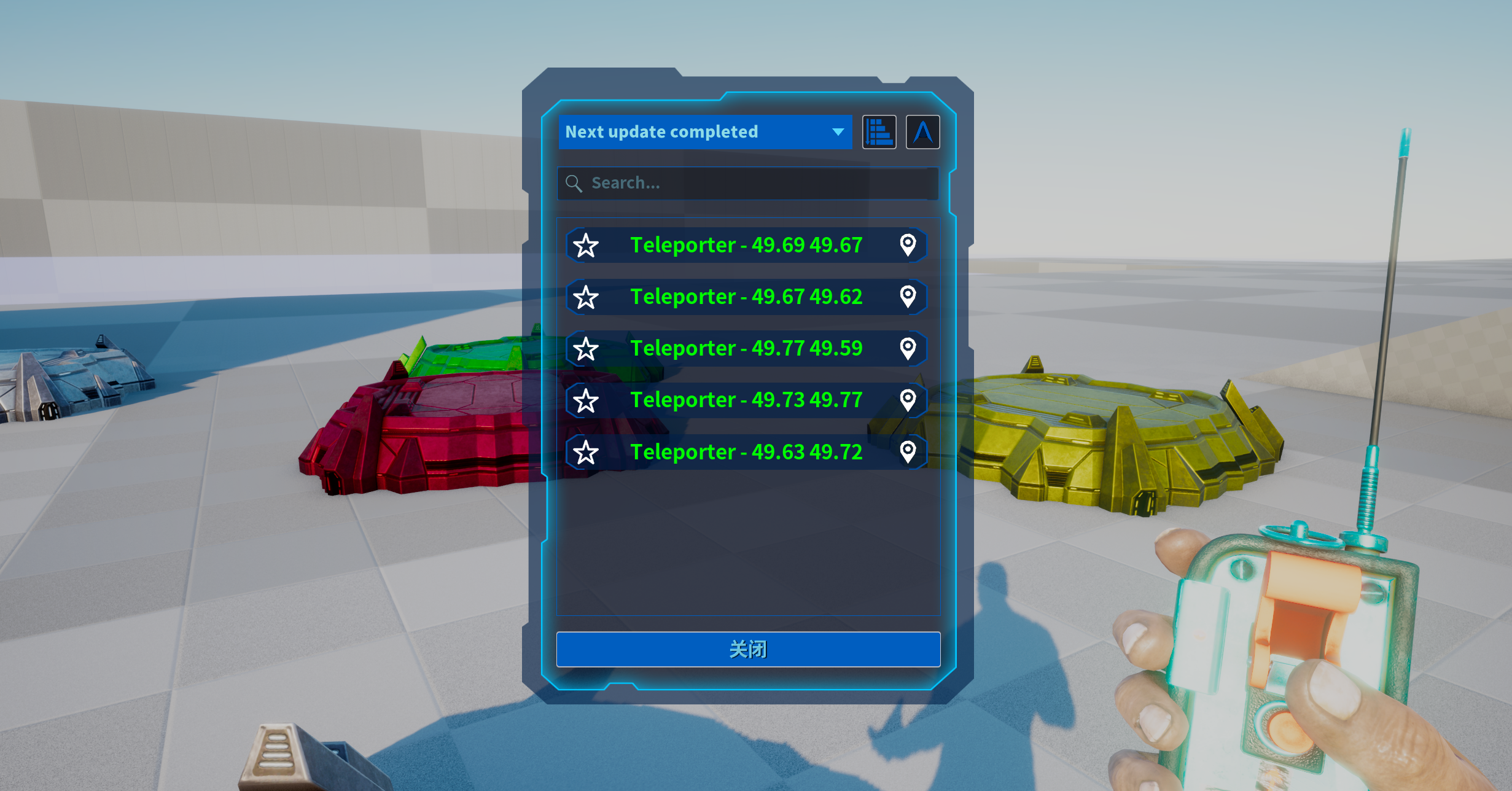
- Click the left mouse button to open the teleportation list UI, select the location to teleport to, and all teammates and ARK terminals are available by default.
- Click the right mouse button to open the teleportation dinosaur list UI, quickly teleport your dinosaur to your side
- Ctrl key to attack dinosaurs, can upload dinosaurs to the cloud, can be turned off by INI.
★ Teleporter · Positioning Base
- Place it anywhere on the map, long press E to bring up the settings interface, and teleport dragons or characters.
- Can share teleport permissions with allies or everyone
- Does not require a foundation, can be placed anywhere.
★ Teleporter - Dinosaur Tracker
- After feeding the dinosaur, you can use the remote control to quickly teleport the dinosaur to your side
- Press and hold E in front of the dinosaur to set whether to ride the dragon after teleportation.
★★★★★★★★★★★★★★★★★★★★★★★★★★★★★★★★★★★★★★★★★★★★★★★★★
- [ASATeleporters]
- LastRemoteLocation=True
- TeleporToPlayers=True
- TeleporToObelisks=True
- OnlyAdminPublic=False
- TeleportPreventionZones=True
- AllowDinoUploads=True
- DinoUploadsMaxNumber=100
- DinoUploadsBlacklist=xxx,xxx
- EnableAdvancedRemote=False
- RetrieveDeathCacheItem=True
- MaxTeleportersPerTribe=50
★★★★★★★★★★★★★★★★★★★★★★★★★★★★★★★★★★★★★★★★★★★★★★★★★
- [ASATeleporters]
- LastRemoteLocation=True <Allow last location teleport >
- TeleporToPlayers=True <Allow teleporting partners >
- TeleporToObelisks=True <Allow terminal teleport >
- OnlyAdminPublic=False <Only tribes or alliances can teleport, that is, public chassis other than tribes or alliances cannot be teleport >
- TeleportPreventionZones=True <Prohibit teleport prevention zones>
- AllowDinoUploads=True <Allow dino uploads>
- DinoUploadsMaxNumber=100 <Maximum number of din uploads>
- DinoUploadsBlacklist=xxx,xxx <Dino upload blacklist list>
- EnableAdvancedRemote=False <Enable only advanced remote control upload. When enabling advanced remote control and opening dinosaur upload, only advanced remote control can upload dinosaurs>
- RetrieveDeathCacheItem=True <EnableRetrieve Death Cache Item=True>
- MaxTeleportersPerTribe=50 <limit amount of placed teleporter pads per tribe>
★★★★★★★★★★★★★★★★★★★★★★★★★★★★★★★★★★★★★★★★★★★★★★★★★
★ 传送器·远程遥控器
- 点击鼠标左键打开传送列表UI,选择要传送的位置,默认所有队友与方舟终端可传。
- 点击鼠标右键打开传送恐龙列表UI,快速将你的龙传送到身边.
- CTRL键攻击恐龙,可将恐龙上传云端,可INI关闭。
★ 传送器·定位底座
- 将它放置在地图任意位置,长按E可调出设置界面,传送龙或者传送角色,
- 可共享盟友或者所有人传送权限 -不需要地基,可放置在任意位置。
★ 传送器·恐龙追踪器
- 给恐龙食用后,可使用遥控器快速将恐龙传送到身边
- 面对恐龙长按E可设置传送后是否骑乘此龙。
[ASATeleporters]
- LastRemoteLocation=True <允许上次位置传送>
- TeleporToPlayers=True <允许传送伙伴>
- TeleporToObelisks=True <允许终端传送>
- OnlyAdminPublic=False <仅管理员可公开,即:无法传送除部落或联盟以外的公开底盘>
- TeleportPreventionZones=True <禁止传送预防区域>
- AllowDinoUploads=True <允许恐龙上传>
- DinoUploadsMaxNumber=100 <恐龙上传最大数量>
- DinoUploadsBlacklist=xxx,xxx <恐龙上传黑名单列表>
- EnableAdvancedRemote=False <启用仅高级遥控器上传,启用高级遥控器并开启恐龙上传时,只有高级遥控可以上传恐龙>
- RetrieveDeathCacheItem=True <启用找回死亡背包功能>
- MaxTeleportersPerTribe=50 <限制每个部落放置的传送垫数量>