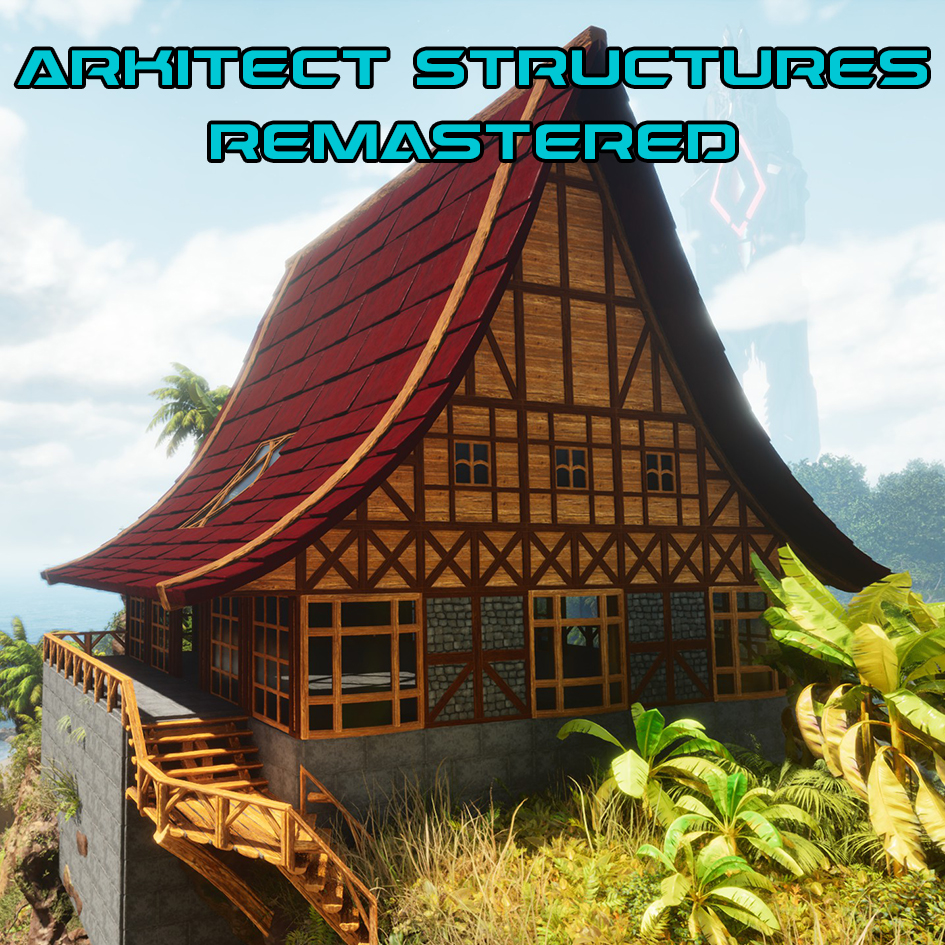
Mod ID: 931874
Update 11.4.4 (Version 141)
Discord: https://discord.gg/QnSrWddwXN
Known Issues:
If you are updating from Version 140 of the mod, there is a chance you may crash while updating. This is not a problem I can do anything about on my end, as it is an issue with the game's update system. It only happens for people updating from this specific version of the mod. If you want to know why, you'll have to ask the programmers at Wildcard or Curseforge. The solution is typically to manually uninstall the mod, reboot the game (or the console if you are on console), and manually reinstall the mod. If that does not resolve your issue, you will need to visit my discord and follow the more thorough troubleshooting guide posted there. It involves clearing caches and manually removing mod files that have become stuck for some reason.
ASR is cross platform, works on all maps, and works with all mods. It does not require any special load order.
ASR is a free mod and always will be. If you see a message implying you need to buy it, that is a bug with Curseforge.
ASR is in fact a compatible, up-to-date mod. There is a bug with the game or Curseforge that sometimes makes it show up as incompatible.
If you have issues updating the mod, uninstall it from the mod menu, restart the game (or the console if you're on console), then reinstall the mod. Try this before anything else.
For additional information on the mod including troubleshooting, ini settings, spawn codes and engram lists, go here: https://legacy.curseforge.com/ark-survival-ascended/mods/arkitect-structures-remastered/pages/asr-main
Always back up your save file. Always. Especially before updating the game or any mod. That way if something goes wrong with the update (it can and will), you can restore a save once you have resolved the issue. This is good practice for any mod you use, particularly ones that add items, structures, or creatures.
FEATURES:
ASR is "vanilla expanded". It has most of the official, basic structure parts and appearances from the game, but expanded to include more shapes, styles, and building-oriented features.
Additional Building Parts
- Note: These are unique shapes and as such, do not support skins. Skins would need to be made by the makers of the skins to support these shapes.
- Half Tall Foundations
- Floating Foundations (place-able on water)
- Diagonal Foundations (right-triangle shape)
- Diagonal Ceilings
- Sloped Half Rails
- Sloped Pillars (for normal, steep, and shallow slopes)
- Steep versions of all Roof parts
- Shallow versions of all roof parts
- Roof Caps (various roof shapes meant to cap off roofs in various building situations)
- Rakes (side roof overhangs)
- Eaves (bottom roof overhangs)
- Diagonal Roofs
- Curved roofs (Concave and Convex)
- Curved sloped pillars (Concave and Convex)
- Triangular Stairs
- Shallow Triangular Stairs
- Corner Stairs
- Shallow Corner Stairs
- Diagonal Stairs
- Shallow Diagonal Stairs
- Staircases (half wide stairs)
- Shallow Staircases
- Half stairs (basically two quarter stairs side-by-side)
- Diagonal Walls and Doorways (to fit the long side of diagonal foundations and ceilings)
- Skinny Doorways (half a wall wide)
- Behemoth Walls
- 2x2 Cellar Doors
- 4x4 Cellar Doors
- Secret Trap Doors (look like ceilings but auto-open when enemies walk across them)
- 4x4 Dino Gateways and Gates
- Window Panes for Thatch, Wood, Stone, Adobe, Metal, and Tek tiers (they snap inside door frames and use the ASR customizable glass)
- Glass parts for the Wood, Stone, Adobe, Metal, and Tek tiers. All ASR glass parts provide greenhouse effect.
- Plus all the basic parts included with the game
Unique Parts
- AntiGrav Foundations (Expensive Tek foundations that can place in mid-air to support floating bases in the sky)
- Televator (Ceilings that can teleport players and creatures up and down to other Televators)
- Propulser (Ceiling that can propel you distances ranging from a few feet to several thousand feet with adjustable power settings and direction)
- Industrial Lights (Have an Auto On/Off feature that if enabled turns them off during the day and on at night. Can also change their color and brightness, and make them blink or pulse)
- Primitive Lights (Torches with the same features as the Industrial Lights)
- Air Conditioner (Quieter with different sound effect, better insulation and range, and has a version that places more like a wall sign. Smoke effect removed.)
- Hitching Posts (Hitch creatures to a hitching post to keep them from moving and attacking. That's about it. They can auto hitch creatures that you dismount or toss nearby. You can toggle off the auto-hitching and keep it manual on the hitching post itself. Hitched creatures do not go into stasis, which may potentially cause server performance issues in some extreme cases.)
- Irrigation (Nothing super special, they just have different models and an option that can allow intakes to place out of water.)
- ASR Storage (Wood and Metal tier storage options. Slot count is adjustable. Unlocked with the ASR wood/metal tiers.)
- ASR Fridges (3 fridge options. Slot count and spoil multiplier is adjustable. Unlocked with the ASR metal tier. Can hold most items that spoil, but there is an ini to only allow what official fridge allows.)
- ASR Furniture (Tables, Counters, Chairs, and Stools. Wood tier, with both wood and thatch visual options)
- Seamless Crop Plots, Triangle Crop Plots
Built-In Variants
- Provide cosmetic changes unique to ASR. Unlike skins, there is no need to "build twice" (place the part and then skin the part)
- Cycle through variants after placing, or even while placing structures (by pressing T key or Left Trigger) to speed up the building process. Can also change them quickly and remotely with the Structure Gun
- Bamboo and Woven styles for the Thatch tier
- Half Timber and Scute Shingle styles for the Wood tier and other miscellaneous visual options
- Half timber, Large Block, Block, and Brick variants for the Stone tier plus misc. options
- Misc. options for Adobe
- Concrete variants for Metal tier plus some misc. options
- Misc. options for Tek tier including "Cyber" variants for the Tek pillars
- Tons of pillar variants to increase the options for trimming your base
Customizable Glass
- All ASR glass parts can be customized with different colors, opacities, and styles including many lattice and stained styles provided by MrRadioactiv and JunoBlade
Custom Structure Settings menu
- Adjust variant, glass settings, door settings, and light settings on ASR parts all from a single menu
- Apply the settings from one structure to nearby structures using the "Copy to Nearby" menu option
- Select the specific settings you want to copy when using the Copy feature of the menu or the Structure Gun
Structure Gun
- Pickup mode (pick structures up from a distance)
- Destroy mode (demolish structures from a distance)
- Delete mode (destroy structures without getting resources back)
- Structure Settings mode (open the settings menu on ASR parts from a distance. Also used to copy settings from one structure to other structures you target)
- Remote mode (remotely activate containers)
- Repair mode (repair structures from a distance. Still requires resources)
- Transfer mode (transfer items between containers within range. Can also transfer items from death caches and dead bodies of the same tribe)
Paint Sprayer
- Dye Menu (open with Reload)
- Batch paint mode (mass-paint all connected structures at once)
- By default the Dye Menu changes the dye on the sprayer for free
- Does not consume paint as you paint
Structure Tray
- Put this item on your hotbar and use it to open a menu that contains all ASR or CKF structures currently in your inventory, for quick access
- No need to swap items on and off your hotbar constantly. If GCM is active it will show all ASR and CKF parts and spawn them for you
Personal Crafter
- Use this item to gain the ability to craft the more primitive structure tiers directly on your character instead of having to do it at a crafting bench
- By design, this item cannot be transferred/uploaded, for technical reasons
Auto-Doors
- All ASR doors can open and close automatically, with plenty of options available to tweak the behavior
Other Improvements
- Foundations can stack
- Additional snap points for many parts
- Most ASR building items weigh 1 instead of 4
- Most ASR building items stack to 100
- ASR Crafting Benches can convert most vanilla structure items into ASR versions, and vice-versa. Crafting costs must match (they should by default).
================================================================
Change Notes
- For a detailed list of changes and history of everything I've added so far, visit the Change Notes page here: https://legacy.curseforge.com/ark-survival-ascended/mods/arkitect-structures-remastered/pages/change-notes
================================================================
HUGE THANKS to my dedicated Testers (Eryn, JunoBlade, Redmustang, MythicKit, Cyra, Blameit, Nessa, and many more), y'all help more than you know!
HUGE THANKS to the modding discord in general and to ExileAcid, EddyChomps, MrRadioactiv, OrionSun, Quellcrest, JoeHelp, and many others for everything they've helped me with over the development of this mod!
================================================================