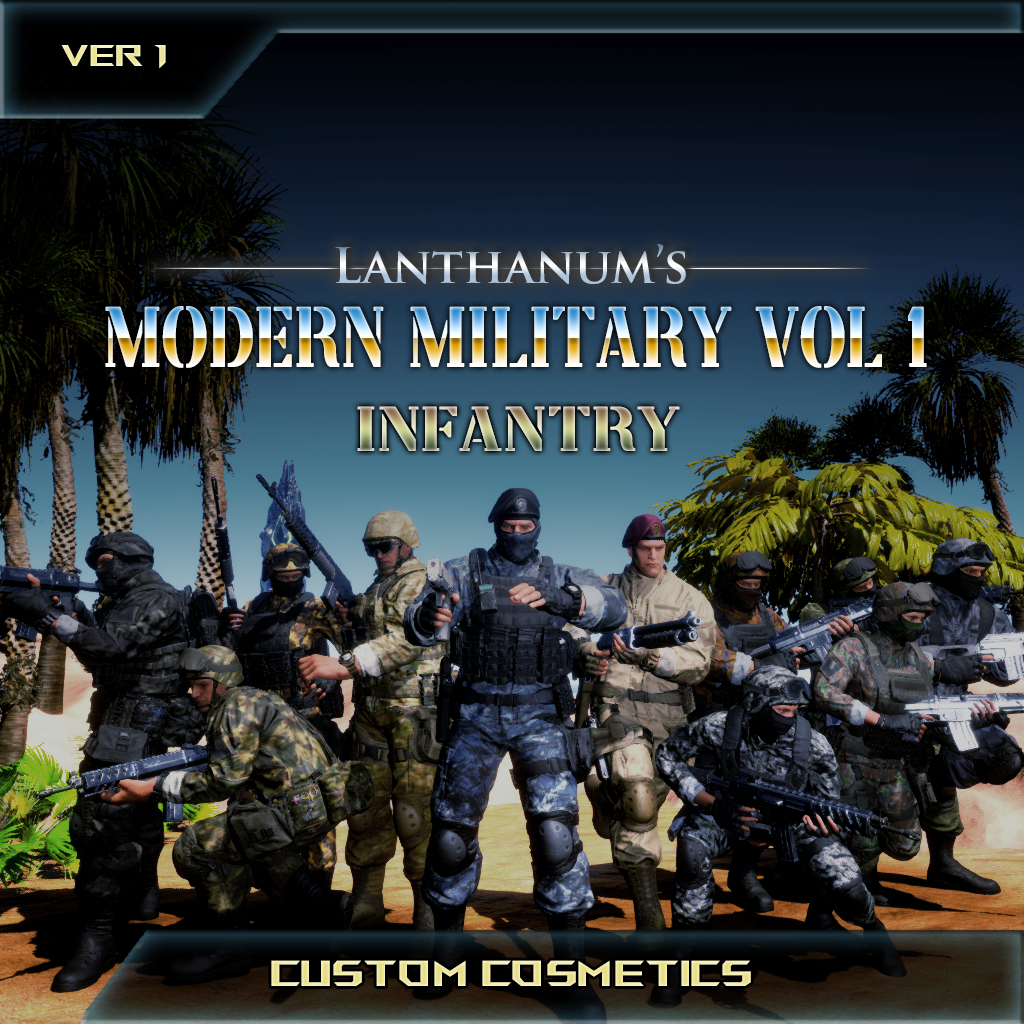
(Some of the images displayed on this page are a result of customization using dyes. For example, the Snow trooper image is dyed EUC camo)
WHITELISTED ON OFFICIAL!
Step Into the Fight — With Style
Gear up like never before with Lanthanum’s Custom Cosmetics: Modern Military Vol. 1 – Infantry. This isn’t just a skin pack, it’s a full tactical wardrobe built for maximum customization, immersion, and realism.
350+ Items
With 350+ modular gear pieces across 13 unique camouflage variants, from digital to woodland, urban to exotic, you have unprecedented control over your survivor’s look. Each camo variant comes with 25-30+ unique meshes, giving you countless ways to mix, match, and scale your loadouts with future volumes designed to expand those possibilities even further.
Full Dye Support and Body Morph Compatibility
Full dye support lets you customize colors down to individual pattern zones (for most variants), including Emissives, reflective goggle glass, and more. Body morph compatibility ensures your gear adapts whether you’re bulking up, slimming down, or going full General Obeseus.
Every detail, from authentic first-person sleeves to high-quality weight painting tested across animations, has been crafted to keep your kit looking sharp, whether you’re a hardened PvP operator, cinematic creator, Roleplayer, or just want to intimidate beach Bobs.
Make your mark. Stand out. Survive in style.
Discord: https://discord.gg/AJHR9Dk
Unofficial Servers: UPDATED!
Do not add the mod ID to the mod list. Custom Cosmetics do not function like regular mods.
Add the line CosmeticWhitelistOverride= to the server's GameUserSettings.ini under [ServerSettings], no ID needed, to allow all custom cosmetics.
Add -DoCustomCosmeticValidation to the command line for starting your server. This will allow you to use the official whitelist, currently this is the only way I was able to get cosmetics working again on unofficial. CosmeticWhitelistOverride= seems to break cosmetics causing you to have to re-equip every login and cosmetics not dynamically downloading.
If you must use a custom whitelist refer to the ark wiki on server settings, I have not tested CosmeticWhitelistOverride= with any actual entries or URL.
For Nitrado make sure you have "Disable Custom Cosmetic System" OFF!
UPDATE: I have found a whitelist that works! you do not need -DoCustomCosmeticValidation for this: "CosmeticWhitelistOverride=" rel="noopener nofollow" target="_blank">https://cdn2.arkdedicated.com/asa/OfficialPVECosmeticWhitelist.txt" in GameUserSettings.ini under [ServerSettings]
Single Player:
Custom Cosmetics do not show up in the mod list, they will show up in game in the Custom Cosmetics tab of your inventory after a few seconds or minutes.
Note: This mod will download faster for clients that don't own it if they increase their "Cosmetic Dynamic Download Speed" under Advanced settings.
-This mod will continue to be refined and optimized as I develop new methods to deliver more customization and content within a smaller file footprint, maintaining high visual fidelity and performance.