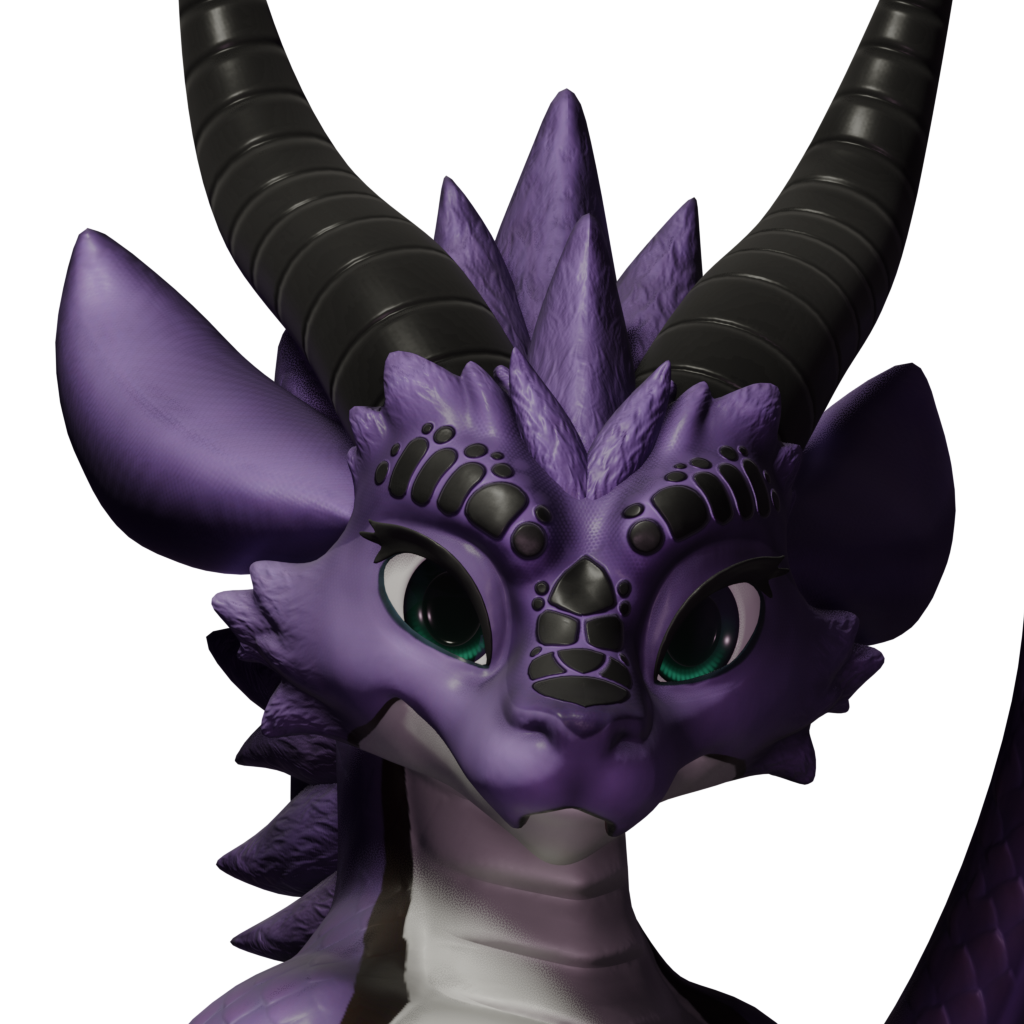
"The Drakari are a species of dragon who live in a glowing, crystalline city within a massive subterranean cavern in the Shattered Sands desert. Their species highly value wealth and prestige, often adorning themselves with excessive finery, and purchasing exotic pets from far away lands to flaunt their wealth to others. Theirs' is a class based society which places them firmly at the top, flying between the tops of their crystalline towers, and rarely descending to the streets below."
Custom cosmetic to play as majestic Drakari. Highly optimized to keep texture memory usage as low as possible while retaining as much quality as possible. Comes with several different outfits for customization.
[Update Notes]
After the shader rework wetness currently is not yet re-implemented on clothing. So for the time being they can't get wet.
[How To Use]
- Select the 'Mods' option in the Ark: Survival Ascended main menu.
- Search for Drakari and subscribe to this mod ingame.
- Restart your game after fully downloading and installing the cosmetic. It is REQUIRED that you restart every time the cosmetic updates! Otherwise it will not show up.
- In the game, open your Inventory and select the 'Cosmetics' tab at the top.
- Open up the Drakari cosmetics folder on the right side in the 'Custom Cosmetics' section.
- 'Use' or drag any Drakari body and optionally wings to its corresponding slot.
- 'Use' or drag any of the extra Outfit skins to their corresponding slot. Use the Hide Clothes skin if you don't want any otherwise normal armor will clip through on unused slots.
**
[Features]
Conditional Overlays
- The Drakari visually becomes wet while standing in rain or while swimming and slowly dries when not.
- The Drakari visually becomes covered in sand as you remain in a sandstorm, jump into water or stand in rain to wash it off!
- The Drakari will visually get dirty and bloody. Scars and bruises appear. Healing will mend the wounds.
Lifelike Behaviors
- The Drakari will visually show some of its statuses.
- - Facial expressions change to show the player its condition without looking at the UI.
- - Eyes close when sleeping or knocked out.
- - A pained facial expression when hurt or dead.
- - Blushing when drunken or poisoned by a troodon.
- - Eyes close progressively more as torpor rises.
- - Cheeks will puff up while holding breath underwater. (NEW)
- The eyes move and jitter around randomly as eyes do to breathe some more life into this scaly creature.
- The tail will slowly wag around while you are not in motion.
Body Features
- The tail, ears and all outfits have physics, interacting with the environment, structures and objects around, colliding with them.
- All Drakari come with a first person view model that reflects the scale color and patterns of the third person model as well as the damage, wetness and sanding overlays.
- Most Drakari come with emissions, stripes or patterns that will glow in the dark similar to aberrant dinos.
- All Drakari textures have been carefully optimized to keep the texture memory usage at a minimum. All Drakari textures together use less memory than just the male human model alone for one of its AO textures alone. Most textures also have been carefully modified to reduce their filesize to a minimum in order to keep the mod size as small as possible while offering as much quality and quantity as possible.
Variations
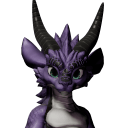
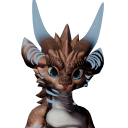
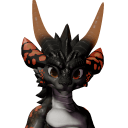
- There are different Drakari available, they come in different scale colors and patterns.
- All Drakari can utilize all outfits present and future. You can mix and match them however you like allowing for more customizability. Some might look better with certain versions of outfits though.
- **There is one variation available of the Drakari as well as all Outfits that allows dyeing.
Available Variations:
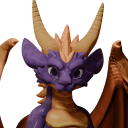
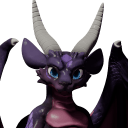
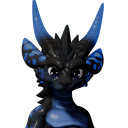
[Upcoming]
- More optimization.
- More variations.
- Fixes for bugs that come up.
[Future Plans]
[Known Issues]
- All cosmetics with physics cast secondary capsule shadows onto objects nearby both in third person and first person. I cannot prevent this, the Capsule Shadow options in the Devkit Blueprint are being ignored. This can create overshadowing when prone and can cause weird shadows in first person. You can disable Capsule Shadows via the console command 'r.CapsuleShadows 0' as far as i'm aware nothing in the game uses Unreal's physics so it should be safe to disable without any negative visual impact.
[Changelogs]
Update 16
- Scaled down some textures.
- Extended Physics reset to mounting in addition to dismounting.
- Fixed eyelens shader applying after Depth of Field and being unaffected by it.
- Updated Wings to be able to be skinned onto Gliders. (This allows wearing everything together)
- Updated Armor and Robes Gem material to make gems dyeable.
- Ported additional fixes for customization from Maelstrorca over.
Version 15
- Ported and implemented Novabeast physics fix for certain dinos and events breaking physics.
- Further improved eyeshading. Less distortion on distance.
- Vastly improved dyeing and fixed dyeing for Body.
- Vastly improved gem shading and fixed it being rendered on top of Depth of Field.
- Fixed Sand and Damage Overlay not working on Accessories.
- Fixed Iron and Mithril Accessories not having the correct textures in First Person.
- Fixed Iron and Mithril Robes not having the correct textures in First Person.
- Fixed Dyeable Accessories and Robes not reflecting their dyes in First Person.
- Added Dyeable wings (needs a bit more brightness tweaking).
- Added Dyeable body (fluff needs a bit more brightness/gradient tweaking).
- Fixed a couple double physics constraints on Wings (still needs a massive rework).
- Fixed Nightfire using incorrect textures in First Person.
Version 14
- Separated gems on Robe and Armor, applied a nice refractive shader.
- Added ability to dye Robes (Experimental).
- Added ability to dye Clothing (Experimental).
- Added ability to dye Body (Experimental, not available, needs rework).
- Added ability to dye Wings (Experimental, not available, needs rework).
- Color and saturation tweaks to Silver Armor.
- Color and saturation tweaks to Iron Armor and Robes.
- Color and saturation tweaks to Mithril Armor and Robes.
Version 13
- Further tweaks to Spyro's colors.
- Fixed a whoopsie in the AnimBP logic that prevented shader parameters from being properly written.
- Further Subsurface Scattering tweaks.
- Added baked AO map for additional details.
- Fixed some AO bake stray streaks.
- Fixed some stray faces inside the horns on the body.
- Massively enhanced eye look, fixed their inverted normals and finetuned the shader.
Version 12
- Tweaked Cynder colors to counteract the darkness and oversaturation from the new shader, brighter less colorful.
- Tweaked Spyro colors to counteract the darkness and oversaturation from the new shader, brighter less colorful.
- Tweaked Cynder's horns metalness to make them much less metallic and more boney.
- Tweaked Spyro's horns metalness to make them much less metallic and more boney.
- Tweaked Skin pigmentation in shader, much less contrasted now, returns most colors to how they were pre-shader change without losing all the additions.
Version 11
- Added Nightfire variation.
- Added Cynder variation.
- Added Mithril Armor variation.
- Added Mithril Robes variation.
- Fixed the mod internally having the wrong name.
- Tuned Subsurface Scattering profile for Drakari skin, slightly less extreme reddish glow.
- Cleaned up more textures.
Version 10
- Added Iron Robes variation.
- Added Iron Armor variation.
- (Experimental) Reworked all shaders, replaced the default Drakari shaders with ARK's own skin and cloth shaders. (Wetness currently is not implemented for outfits)
- Fixed massive visible lighting and color seams on the sides of the Robes.
- Texture cleanup and removal.
- Improved Eye shader Emissive to respect Eye Adaption for a more consistent, less blindingly bright glow.
Version 9
- Made slight improvements to the shoulder rigging to prevent them from getting extremely distorted in some poses. (Robes very slightly clip below the arms when crawling)
- Improved Robe/Armor physics for crotch cloth, it should hopefully get stuck less between legs when crouching and rarely if ever freak out now.
- Fixed Robes clipping under arm due to the mesh improvements.
- Fixed wrong bone modifier container being used.
- Fixed tail fluff getting ripped apart when crouching due to wrong weight painting.
- Added missing extra weight painting for all extra ARK bones to Accessories fixing the slight clipping on lower leg when running.
- Added Hold-breath facial gesture when underwater.
Version 8
- Fixed wings master material error due to wrong wet texture sampling type.
- Fixed silver robes using the wrong material in first person.
- Fixed silver accessories using the wrong material in first person.
- Fixed Default Drakari using the wrong male first person hands.
- Fixed Default Drakari using first person model as third person model. (was overriden by actual third person reference luckily).
- Fixed clothing roughness not being affected by sand. Sand should now properly make clothing less reflective.
- Switched several body textures to use Virtual Textures.
- Switched several wings textures to use Virtual Textures.
- Switched several robes textures to use Virtual Textures.
- Switched several armor textures to use Virtual Textures.
- Added Spyro inspired variation.
- Added Copper clothing set.
- Removed unused icons.
Version 7
- Fixed Drakari variations using the wrong first person materials
- Fixed Default Wings having borked textures.
Version 6
- Improved Robes triangulation, weightpainting and mesh around shoulders. Should fix all clipping scenarios.
- Improved Body neck and head weightpainting to be less broken with the extra neck bone Ark uses.
- Vastly improved Robes and Armor physics.
- Optimized several textures down in filesize and used resolution.
- Improved Accessories physics.
- Optimized and cleaned up code.
- Changed several textures to their correct texture group.
- Made tail/body physics have increased gravity when prone or dead to keep them to the ground.
- Added missing Robes/Armor blood normal map.
- Fixed blendshape modifications only activatable but not de-activatable.
Version 5
- Cleaned up and improved custom normals a bit, especially around face and scales.
- Cleaned up and improved some blendshapes.
- Cleaned up, improved and fixed some stray indents and vertices for a smoother look.
- Changed all materials to use material instances.
- Changed all outfits to custom normals.
- Changed wings to custom normals.
- Changed all first person models to custom normals.
- Changed body to hide pants instead of gloves.
- Added Charcoal Skin.
- Added Default Skin.
- Added Silver Robes.
- Added Silver Lore Clothes.
- Added Rendered Skin Icons.
- Internally renamed some materials for clarity
- Swapped possible slots for invisible clothes from unused pants slot to gloves slot.
- Improved skin hiding interactions, should fix most of the quick-swapping issues.
- Removed more unused textures.
- Tweaked cloth roughness to make it less shiny.
- Tweaked descriptions for all skins.
Version 4
- Added colliders to legs to collide with the tail.
- Added Armor/Robe physics.
- Added hurt facial expression.
- Added drunk/torpor facial expression.
- Added death facial expression.
- Fixed Robes clipping on the back.
- Fixed mane clipping when wearing Robes.
- Fixed Accessories clipping through arm with Robes.
- Fixed belly bone parenting.
- Fixed belly bone scrunching the belly.
- Fixed Wing physics, they should somewhat behave now. Will need more tweaking.
- Massively improved tail physics.
- Improved some weight painting on the little dangling pieces.
- Improved default tail pose.
- Improved default bone positions for physical bones.
- Hid fake eyeshine mesh.
- Defined max texture sizes and proper texture groups. Still need hard optimization.
Version 3
- Initial Test
Here's the discord for my cosmetics (looks like more are to come), it is currently very basic though: https://discord.gg/RuEjm7crJP
Also if you like this mod you might want to check out my other cosmetic mods:
- The Waggan
- The Avali
- The Maelstrorca
- The Novabeast
[Credits]
Drakari Avatar - Made by Hobbert (Gumroad)
Permission to upload was acquired from Hobbert. If you like the Drakari you can get the original model (for VRChat) above.
Textures - Provided by the respective owners and myself.