==================================================================
Available on official Now
==================================================================
Designed for: Official/Unofficial Servers and single player. Just download and use anywhere you like.
Mod Name: Quantum: Astral

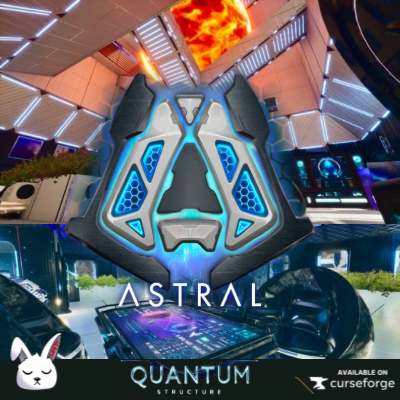
Description: Embrace that feeling of awe and wonder from exploring new horizons, boldly going where no one has gone before. Quantum: Astral is a sci-fi structure skin mod for ARK: Survival Ascended. This mod introduces six distinct sets, Astral 1-6, each with unique wall and door/window frame designs featuring gently pulsating glow effects, sleek matte finishes, and shimmering metal accents. It features a nice balance of geometric, clean lines; with softly curving windows, doorways, and décor. It somehow manages to look futuristic but still inviting and homey, rather than alien and sterile. You can feel the love and artistry that went into designing this set.
All sets share matching roofs, ramps, and railings for cohesive building options. Quantum: Astral integrates seamlessly with my original sci-fi cosmetic set, Quantum, while adding vibrant colors and otherworldly style. Astral now includes two Nova sets, for creating optical illusion 3-d looking galaxy backgrounds, plus glowing planet cosmetics to put on large deco boxes, for that truly space-themed look. The mod also has two furniture/decor sets for most crafting stations (a paintable white set and a black set), a wall decal and decor set, two wall panel sets, and a skin set rigged for TEK doors! Just what you need to design glowing outposts in alien biomes or fortified cosmic bases wherever you want to build. Whether you are building a simple box style base, or a more complex design, Astral will elevate your builds to new dimensions.
Currently mod has a skin for every vanilla item and most BTT items. Currently missing the crop plot, the ladder and cellar door.
Transform your ARK experience with Quantum: Astral and build your cosmic sanctuary today!
Important Notes: This is a custom cosmetic mod—only players need to download it. It runs client-side and can be found in your inventory under the Cosmetics tab, on the right side of the UI. Do NOT install this on your server, as it will cause issues since server installation is not required!
✨ Features ✨
Patch: 10/24 Added new glass structure set and new Wing Glider suit Skin to mod as a thank you for the immense support.
6 Unique Sets (Astral 1-6): Distinct wall and door/window frame designs with shared roofs, ramps, and railings, featuring glowing effects, matte finishes, and metal accents.
2 Nova Sets: Space-themed skins that surround your base with immersive cosmic biomes.
Furniture/Decor Sets: Two sets for most crafting stations—a paintable white set and a black set.
Wall Decal and Decor Set: Adds customizable sci-fi flair to your structures.
2 Wall Panel Sets: Additional options for unique wall designs.
TEK Door Skin Set: A dedicated skin set rigged for TEK doors.
Seamless Integration: Complements the original Quantum Structures mod for a unified aesthetic.
Vanilla-Based: Applies to standard ARK: Survival Ascended metal structures for compatibility.
Sci-Fi Aesthetic: Ideal for constructing futuristic, interstellar bases.
Innovative Customization
Universal Skins: Each skin set works with all building structures. Simply place a skin over any vanilla item to reveal its new look.
Variant System;: Almost every piece offers variants, allowing you to mix and match styles within each set.
Resize & Rotate;: Adjust the size and rotation of skins to perfectly fit collisions and customize your builds.
All-in-One Access: Find all skins under a single item in the Custom Cosmetics Tab.
Say goodbye to boring vanilla bases. Build not just to survive, but to live beautifully.
🛠️ How to Use Custom Cosmetic Skins
Equipping & Using Skins
Open your inventory and navigate to the Cosmetics Tab.
Go to Apply Cosmetics and locate the Custom Cosmetics folder, which contains all Quantum: Astral skin sets.
Open the Astral folder and move your desired skin set to your hotbar.
Equip the skin set, then aim at any compatible vanilla structure or item to replace it with your chosen skin.
Changing Skin Variants
After placing a skin, approach the structure or item.
Interact by holding:
E key (PC)
Y button (Xbox)
Triangle button (PlayStation)
Select the two green cogs on the radial wheel.
Cycle through the available variants for that skin to customize its appearance.
Check out this video on X for a visual guide on applying skins, changing variants, and using the scaling system: Variants
📋 Important Notes:
Crafting Stations: Most crafting stations and furniture pieces have a skin. Some with variants included.
Item Compatibility: For a full list of items compatible with these skins, check out the following video: Itmes in mod
Please report any issues via the comment section or our Discord community.
Mod Compatibility: Should work with other mods—no known conflicts.
🌟 Join the Community Have questions, need server recommendations, or want to report a bug? Join the Sandi Development Discord for support, inspiration, and to connect with other players: Discord
👉 Sandi Development Discord Share your epic builds with us on X! Tag us here: @knufflesandman
Credits:
Brini: Builder of the set. Check out their YouTube channel: Brini122
Songbird: Creator of all set pictures in the media area.
🐞 Bug Reporting If you encounter any issues, please leave a message in the comment section or reach out via Discord. Your feedback helps us improve the mod for everyone! Mod redefines building in Ark: Survival Ascended. Create a base that’s not just a shelter, but a home. Let’s ascend together into a world where survival meets the future. 🌿✨