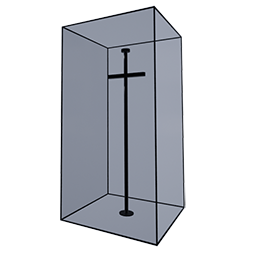
A custom cosmetic mod that allows you to display character costumes, armor, and weapons by applying them to survivor dermis. Equip this skin on a dermis placed on a Taxidermy Base to showcase your favorite gear and outfits as a display.
.
Currently contains the following furniture:
- Armor Display Black (Survivor Dermis)
- Armor Display Metal (Survivor Dermis)
- Weapon Display Black (Survivor Dermis)
- Weapon Display White (Survivor Dermis)
- Simple Trophy Display (Trophy Wall-Mount)
.
How to use this custom cosmetic skin:
1.Obtain a survivor dermis. You can get one by using the Taxidermy Tool on yourself (suicide) or from another player. Note: The displayed armor model will differ depending on the survivor's gender. For best results, use a dermis from a default survivor (without custom body shape edits). 2.Place the dermis onto a Taxidermy Base. 3.Open the ring menu on the Taxidermy Base and select "Hide Base" This makes the base invisible for a cleaner display. 4.Open the inventory of your survivor dermis, apply this custom cosmetic skin to the survivor dermis. 5.Equip the desired armor or weapon into the slots to display them.
.
Additional Notes:
- Helmets cannot be displayed directly. To display a helmet, please apply a helmet skin to an equipped armor piece first.
- If you want to apply a skin to an item being displayed, please remove the equipment from the display, apply the skin to it in your inventory, and then place it back on display. Applying a skin directly to an item while it is being displayed may cause the game to crash.
- If you have any requests or feedback, please leave a comment.